
Geiger.
LIVE · MACOSA side-notch AI usage widget for macOS. It clicks louder the closer you get to your limit.
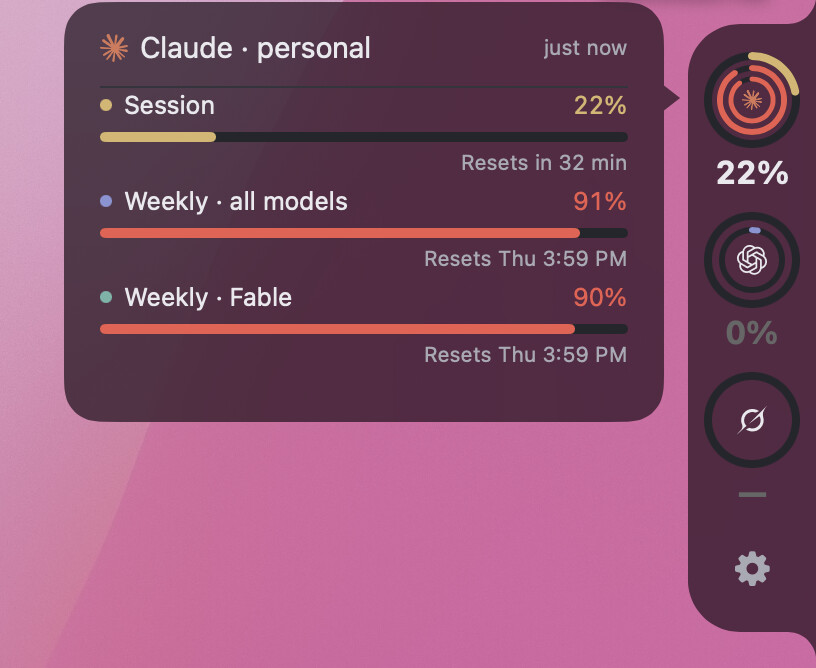
Shot on my Mac with three providers switched on. Each provider you enable adds one cell to the pill, and each cell draws a ring per usage window, so the pill is as long as your setup rather than as long as the list below.
Seeing it work
A bare nub sits on the right edge of the screen. Hover it and it opens into a pill with one ring for each usage window. Hover a provider and its detail card slides out, with the exact percentages and when each window resets. Move away and it closes again.
Installing it
Open the disk image and drag Geiger to Applications. It is signed with my Developer ID and notarized by Apple, so macOS raises no warning.
Apple's ticket is stapled to the disk image rather than to the app inside it. So the copy you drag out is checked with Apple over the network the first time you open it, and a first launch on a machine with no connection can be refused. Open it again once you are online and it goes through.
It registers itself as a login item the first time you run it from Applications, so it comes back at every login. There is a menu bar item for the build number, the config file and quit, and a gear panel under the rings for the pill's opacity and its material.
What it reads
Nine providers, all read-only. Each is read from whatever is already on the machine.
 claude
 codex
codex
 grok
grok
 antigravity
 gemini
 kimi
kimi
 opencode
 copilot
 cursor
There is no server of mine anywhere in this. Geiger reads the files each tool already keeps on your Mac, and calls each provider's own usage endpoint with the credential that tool already holds. No account, no analytics, no telemetry.
Every credential is read-only, and none is ever refreshed. Refresh tokens rotate and die on use, so a refresh here would eventually take the CLI's own token with it. Geiger has no refresh path at all.
A provider with nothing to read shows an error card that says why. The widget itself always runs. Questions, or a ring that will not fill: Support.
← Every app I ship